How to Use MAD Pro CheatSheat to Your Advantage

MAD Pro CheatSheet allows you to quickly send over your MAD Pro links when an opportunity arises to do so. What it does is it essentially creates a list of MAD Pro links so you can save it into your phone. So when someone talks about a store in the list or there is a chance to recommend something, just quickly copy-paste the link from the list and share!
How to Create a CheatSheet
Earn Section on the MAD App Homescreen [NEW]
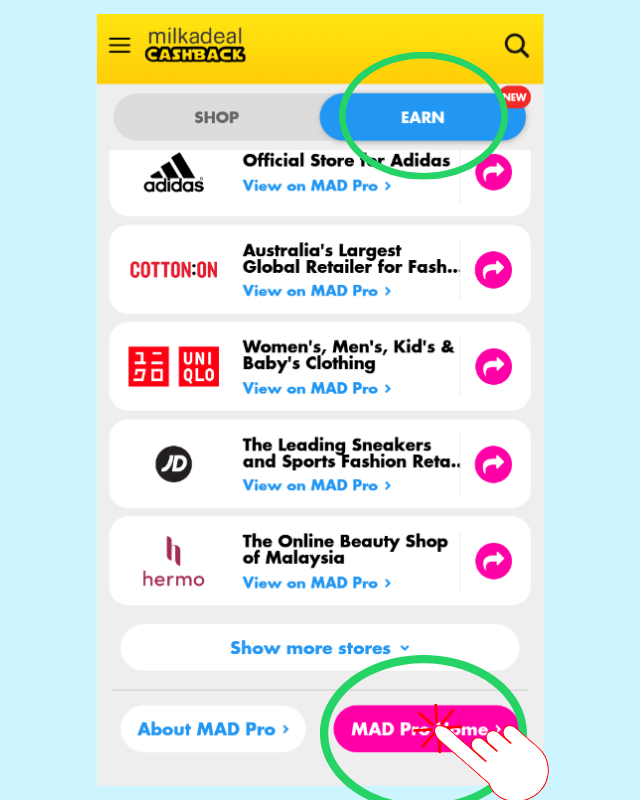
1. On the MAD App Homescreen, tap Earn and scroll all the way down to find for the MAD Pro Home button. Tap it.
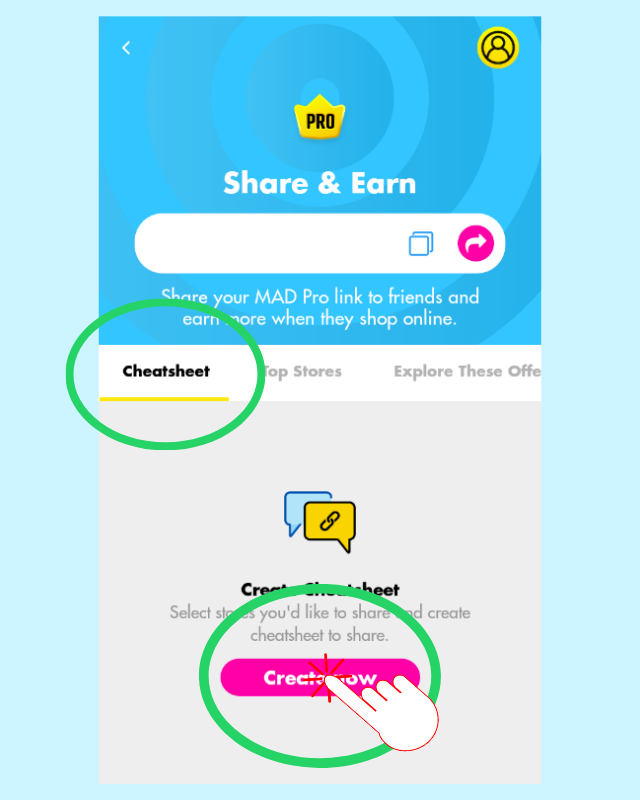
2. Tap on Cheatsheet, then Tap Create now.
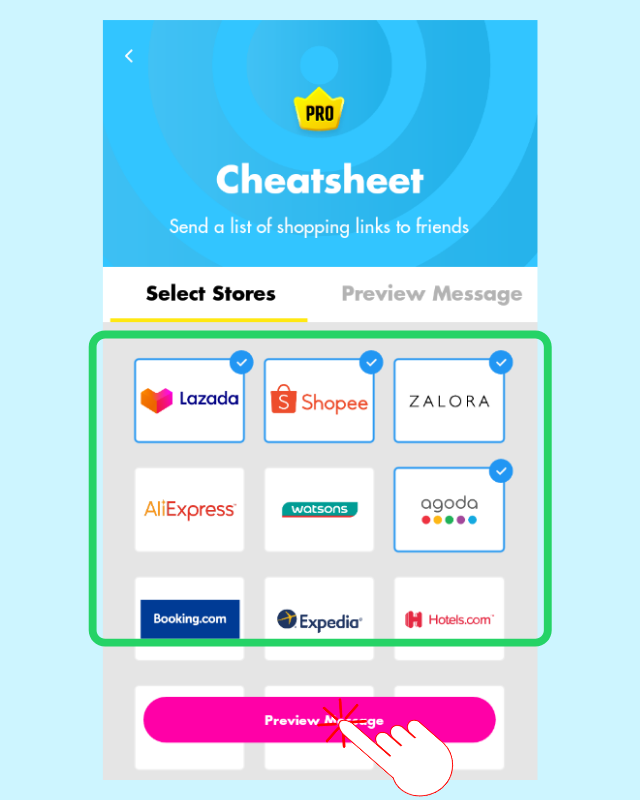
3. Tap on stores to select it, then tap Preview Message.
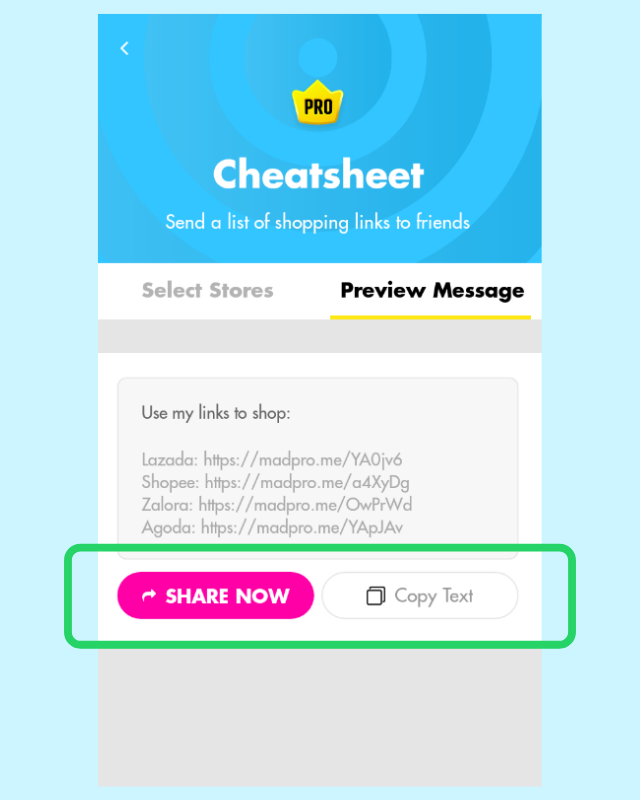
4. Tap Copy Text to save it into a document file on your phone, or tap Share Now to send it over to someone on Whatsapp!
via Web Browser
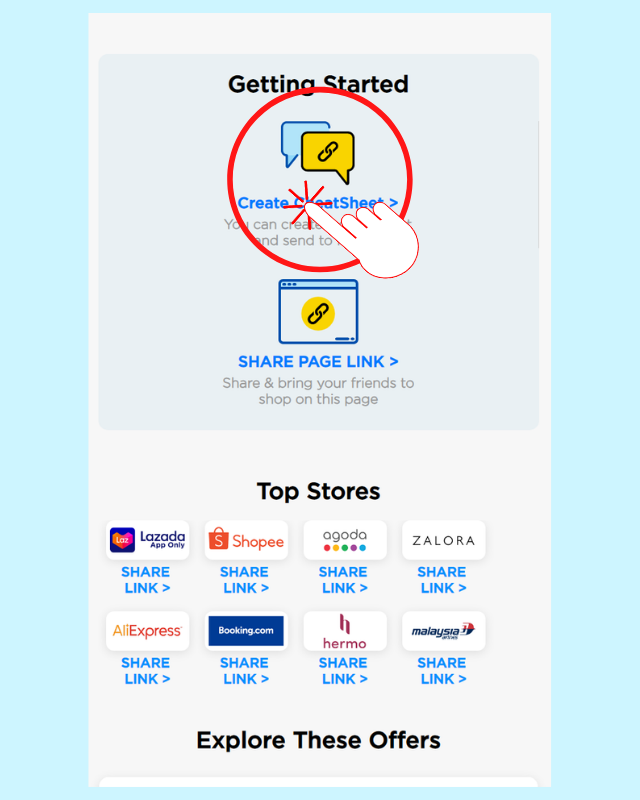
1. Go to your MAD Pro Homepage at https://www.milkadeal.com/me/madpro and click Create CheatSheet
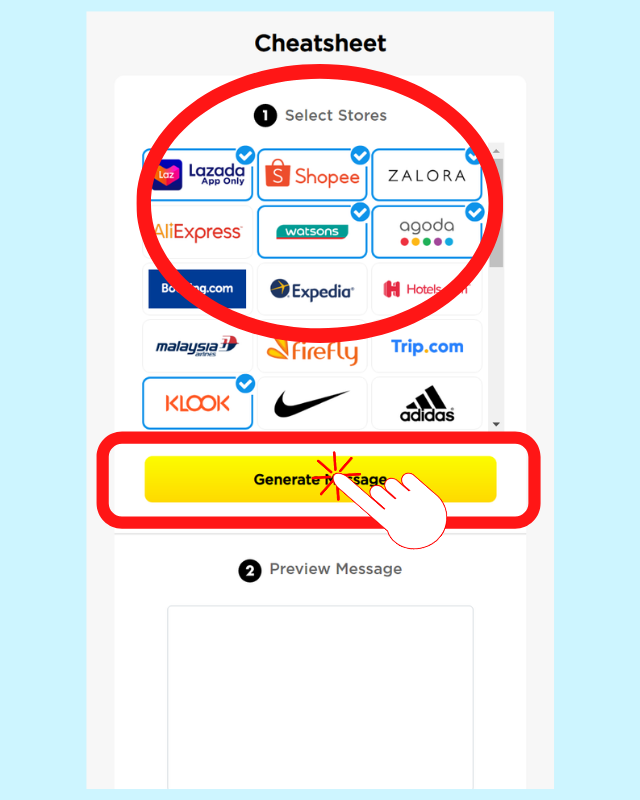
2. Select Stores and click Generate Message
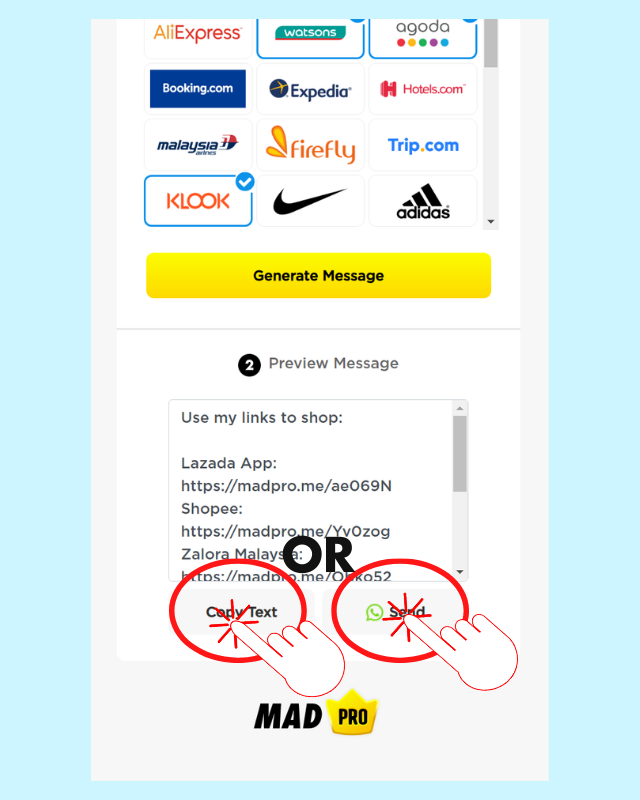
3. Click Copy Text and save it into a document file on your phone, or click Send to send it over to someone on Whatsapp!
MAD Pro Tip: Send the CheatSheet list to your parents, co-worker, relatives, etc. and tell them whenever they want to buy from any of the listed stores, use the links in there so you get cashback! Ask them to save the list so they can easily find it.
Still confused on something? Drop us an e-mail and we'll get your questions answered.

MAD Recommends



MAD helped Malaysians
to Earn Cashback while Shopping









 Continue with Facebook
 Continue with Apple

 Get shopping links

 Get updates here